
by Design Workshop Sydney
Mar29
Exporting from the Autocad 3D environment to a 3D Printer is a simple process and a subject which we discuss in our Autocad 3D training courses. Firstly, make sure there are no extra lines or objects in your 3D model. We obviously don’t need lighting or materials on models destined to be printed in 3D, but these details will be... Read more...

by Design Workshop Sydney
Mar29
The Polyline tool is useful in Autocad 2D drafting for creating floor plans where many of the lines are either horizontal or vertical. We show you how in our Autocad 2D training courses. To create a floor plan like the one illustrated here first set up your limits in Autocad. A large retail outlet, for example, could have a set... Read more...

by Design Workshop Sydney
Mar29
Creating spirals in SketchUp is a straight-forward process after some initial calculations and planning. We show you how to do it in our SketchUp training courses. First of all we need to establish the size of the spiral; in the example here we have created a 100-storey eco-city tower which is basically a huge spiral. We first created a circle... Read more...

by Design Workshop Sydney
Mar22
Blending a photograph with a texture is a great way of adding an artistic punch to an otherwise ordinary image. This is one of the many techniques we explore in our Adobe Photoshop training courses. You can get interesting textures from almost anywhere: sand, soil, leaves, rocks, clouds, wood grain, rust, fabric – just about anything in the natural world... Read more...

by Design Workshop Sydney
Mar22
Buttons can be added to our Indesign documents to make the experience more interactive for the recipient. We show you how in our Adobe Indesign training courses. You can create buttons in Photoshop or Illustrator and import into Indesign. Alternatively Indesign has a set of pre-built interactive buttons that you can import into your document. To add, for example, arrow... Read more...

by Design Workshop Sydney
Mar22
Creating a triangle pattern in Adobe Illustrator is an easy process, which we explain in full in our Illustrator training courses. The steps involve setting up a repeat grid, then using the Pathfinder functions and adding colours. Then could we convert the shapes into a repeat pattern for later use. First create a new document of size 100 x 100... Read more...
by Design Workshop Sydney
Mar13
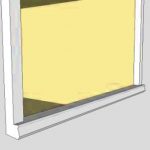
Creating window sills in SketchUp is part of the process of creating components. We go through the whole procedure of modeling components for architecture and interior design in our SketchUp training courses. After a component has been initially created it may require further editing, for example to a simple window component you would possibly add details later on like sills,... Read more...
by Design Workshop Sydney
Mar13
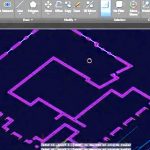
The process of creating an architectural 3d model in Autocad consists of importing some 2d elevations first, arranging them, then creating closed polylines in order to build 3d objects from those references. We take you through the whole process in our Autocad 3d training courses. After the 2d elevations and floor plan have been brought into your new drawing we... Read more...

by Design Workshop Sydney
Mar13
Most of the time we draw using precise measurements of lengths and angles and radii. But when modifying and updating drawings we may simply draw freehand. We show you the drawing basics and much more in our Autocad 2d courses. When drawing in Autocad there are three methods of choosing drawing tools. You can click on a tool icon from... Read more...

by Design Workshop Sydney
Mar1
When the final layout is complete it’s time to output your document. There are a variety ways of doing this, one of the main methods being that of printing to PDF. We cover them all in our Adobe Indesign training courses. To export to PDF there are a few methods, depending on the purpose of the document. First of all... Read more...

 Graphic Design Courses