by Design Workshop Sydney
Feb8
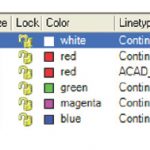
Working with layers is central when drafting in Autocad, leading to a more efficient and organized set of drawings. We explore layers in full in our Autocad 2d training courses. You could think of Autocad layers as transparent sheets or overlays. We usually have several of them, called a layer stack, with separate information on each layer displaying in different... Read more...

by Design Workshop Sydney
Feb1
There are many ways of copying text in Indesign. In our Adobe Indesign courses we show you several methods. We can, of course, create text from scratch by simply selecting the Type tool and clicking and dragging across the page to create a text box. The size of this can later be adjusted with the Selection tool (the black arrow).... Read more...

by Design Workshop Sydney
Feb1
Creating realistic Sci Fi art in Photoshop is easy. We show you how to collage images like this in our Adobe Photoshop courses. First set up your canvas – the image illustrated here is an A5 at a resolution of 150 ppi, which is a good resolution for in-house printing. We then source several images for our artwork. Here we... Read more...

by Design Workshop Sydney
Feb1
Adobe Illustrator is the software of choice for fashion and textiles design. We run a special Illustrator for Textiles course in which we show you the best techniques for creating production artwork for fashion and accessories. The first step in creating a mood board or story board is to create a new drawing with your colour set to RGB or... Read more...
by Design Workshop Sydney
Jan26
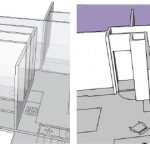
Modeling interior details, like doorways and windows, is a straight-forward and easy process in SketchUp. We show you how in our SketchUp training courses. Firstly, make sure you have moved the external walls to their own layer; then hide that layer. This will make the modeling of interior details much easier. Then, in the case of cutting out door frames, ... Read more...
by Design Workshop Sydney
Jan26
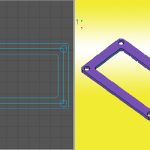
Extruding paths in Autocad’s 3d interface is one of the most common commands. We explain the whole process of construction and modeling in our Autocad 3d training courses. For example, we wish to create a rubber gasket seal, like the one illustrated here. From the View menu split the screen into two view ports. Make the left view a Top... Read more...
by Design Workshop Sydney
Jan26
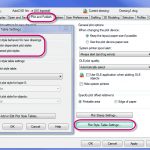
The traditional Autocad method of using Plot Styles to link layer colours to line weights and types is still quite a common practice. In our Autocad 2d courses we show you how to set up and load Plot Styles. To create a plot Style from scratch, first go to the Output tab and select the Page Setup Manager. Then hit... Read more...

by Design Workshop Sydney
Jan18
The eyedropper tool in Adobe Indesign offers handy methods for copying a variety of features, both colour and text. We explain how in our Indesign courses. First open an existing Indesign document, like this flyer here. We may wish to sample colours from a logo, in the situation where you don’t have access to a client’s Style Guide. Simply place... Read more...

by Design Workshop Sydney
Jan18
For many Illustrator users the final result is a PDF to be sent to a client for approval or to a print company. We take you through the whole workflow from setup to creating PDFs in our Adobe Illustrator courses. There are two methods. Either go to File > Save As > and change the format at bottom to PDF.... Read more...

by Design Workshop Sydney
Jan18
Many professional photographers work with Raw image files within Photoshop. We show you how to use Photoshop’s Camera Raw feature in our Photoshop courses. Firstly, why work with Raw images? The big advantages are the higher dynamic tonal range and greater details captured in the image.The slight disadvantages are the larger file size and the fact that you can’t process... Read more...

 Graphic Design Courses