 April 28, 2015 8:00 am
Published by Design Workshop Sydney
April 28, 2015 8:00 am
Published by Design Workshop Sydney
The Offset tool in Autocad’s 2D interface is a great way of creating wall thicknesses. We explain how in our Autocad training courses. First create a room or a series of rooms with the Polyline tool. Doing so will ensure that you can offset the whole object in one step. If you were to create the room using the Line... Read more...
 April 21, 2015 10:30 am
Published by Design Workshop Sydney
April 21, 2015 10:30 am
Published by Design Workshop Sydney
Adding duotone images to flyers or report covers in Indesign is an easy process and adds a touch of class to a simply design. We show you how in our Adobe Indesign courses. To create the yellow and orange duotone image for a flyer like this first go into Photoshop and File > Open > and navigate to your image... Read more...
 April 21, 2015 10:07 am
Published by Design Workshop Sydney
April 21, 2015 10:07 am
Published by Design Workshop Sydney
Creating a paisley pattern design in Adobe Illustrator is an easy process which we demonstrate in out Illustrator for Textiles courses. The design itself was popular in Britain in the 18th and 19th centuries and utilizes the earlier Persian droplet motif. The main producers of Paisley pattern shawls were the weavers of Paisley in Scotland, between 1800-1850, their hand and... Read more...
 April 21, 2015 9:29 am
Published by Design Workshop Sydney
April 21, 2015 9:29 am
Published by Design Workshop Sydney
The Content Aware function of Adobe Photoshop allows you edit images with greater ease than ever before. We demonstrate how in our Photoshop training courses. This handy feature was first introduced in the CS5 version a few years ago, but has been enhanced and added to more contexts with each new release. One example is where you wish to move... Read more...
 April 14, 2015 5:26 am
Published by Design Workshop Sydney
April 14, 2015 5:26 am
Published by Design Workshop Sydney
SketchUp allows you to easily import terrain data and aerial imagery into your model. It’s one of the many features we explore in our SketchUp for Urban Planning courses. First create a new file in SketchUp and go to View > Toolbars. Make sure that Google is ticked. In the Mac version we go to Tool Palettes and tick Google.... Read more...
 April 14, 2015 4:53 am
Published by Design Workshop Sydney
April 14, 2015 4:53 am
Published by Design Workshop Sydney
Polysolids are similar to 2D Polylines in that they are made up of a combination of straight and curved segments. Any variety of objects can be created when combined with tools like the 3D Array tool. We show you how in our Autocad 3D training courses. The Polysolid command allows you to create a variety of shapes, like straight hollow... Read more...
 April 14, 2015 2:33 am
Published by Design Workshop Sydney
April 14, 2015 2:33 am
Published by Design Workshop Sydney
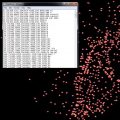
A common method for creating terrain models in Autocad is to first import topographical survey data. We show you how in our Autocad 2D training courses. Digital data collectors take surface data information from the field and allow us to import it into software programs like Autocad and Autocad Civil 3D. They are imported as an ASCII file with a... Read more...
 April 5, 2015 4:45 am
Published by Design Workshop Sydney
April 5, 2015 4:45 am
Published by Design Workshop Sydney
Adding a sketchy effect to a Photoshop image is good for tidying up a rough collage, as well as presenting a loose interpretation of a design idea. It’s one of the techniques we explore in our Photoshop courses for Interior Design. Open the JPEG version of your mock-up. Go to the layer options and choose Duplicate Layer. This allows for... Read more...
 April 5, 2015 4:24 am
Published by Design Workshop Sydney
April 5, 2015 4:24 am
Published by Design Workshop Sydney
If you’re printing over 1000 copies of a job, the printing company often require all the files used in creating the document. For this we use a process called Package which includes some Preflight steps to ensure that we have all the necessary files. We show you how in our Indesign training courses. Go to File > Package. If you... Read more...
 April 5, 2015 3:58 am
Published by Design Workshop Sydney
April 5, 2015 3:58 am
Published by Design Workshop Sydney
Creating artboards in Adobe Illustrator is a great way of showcasing your work. We explain how in our Adobe Illustrator courses. Artboards are like pages. To create multiple pages for a Storyboard or Moodboard, you can specify the number of artboards when you first set up the document. This feature was introduced into Illustrator CS4. Alternatively, if you have created... Read more...

