
by Design Workshop Sydney
Mar23
Adding a drop shadow in Adobe Illustrator is a very simple process and can add dynamism to your artwork. We show you how in our Illustrator courses. This image, for instance, was collaged first of all in Photoshop, and imported into Illustrator. The Image Trace function was then applied which redefines the bitmap information as vector artwork. See our blog... Read more...
by Design Workshop Sydney
Mar18
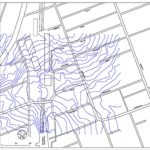
With SketchUp Pro version, which currently costs around A$600, you have several additional features not available in the free SketchUp Make version, one of which is the ability to import CAD files like dwgs and dxfs. We show you how in all of our SketchUp courses. First, open up the drawing in Autocad. It’s best to turn off all unnecessary... Read more...
by Design Workshop Sydney
Mar10
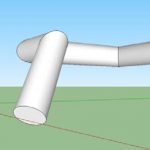
We can create just about anything in SketchUp – but before we launch in we need to step back and break objects down into their basic parts. One of the easiest and most effective tools is the Follow Me tool. And we explore its versatile uses in our SketchUp courses. The Follow Me tool can be used to create all... Read more...
by Design Workshop Sydney
Mar9
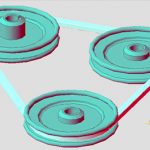
Sweeping objects in Autocad 3d modeling is a fairly simple process, and one of the many functions we explore in detail in our Autocad 3d courses. In this example we have created a drive belt using the Sweep function, and created the pulley wheels using the Revolve function. To create a 3d solid by sweeping, you select a 2d closed... Read more...

by Design Workshop Sydney
Mar9
A solid understanding of the Model and Paper spaces is crucial when creating drawings in Autocad. This is something which we cover in depth in our Autocad 2d courses. Model Space is where most of your drafting work takes place and is accessed via the Model tab; you create all your geometry and models here. The space is three-dimensional and is... Read more...
by Design Workshop Sydney
Mar9
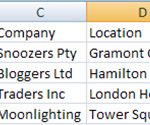
Merging data from a program like Excel into Indesign and outputting as a series of PDFs is a fairly simple procedure, and one of the many features we explore in our Adobe Indesign courses. Firstly, open Excel and create a simple spreadsheet with 5 columns & 5 rows, like the one illustrated here. Note that the top row must represent... Read more...

by Design Workshop Sydney
Mar7
There are dozens of effects you can add to artwork in Illustrator, both vector and bitmap types. These are some of the many features we explore in our Illustrator courses. Effects can be found in the drop-down menu at the top of the Illustrator interface. First create some artwork, as in the example here. We started by creating a yellow... Read more...

by Design Workshop Sydney
Mar7
Gradients are blends between two or more colours, and can be used in Photoshop either as backgrounds, or as part of a layer mask. The example here shows both uses and is something we cover in our Photoshop courses. Firstly, as a background, it’s a simple matter to select two colours initially at the bottom of your toolbox. Then go... Read more...

by Design Workshop Sydney
Mar2
When working with models for town planning in SketchUp we will want to gather relevant geolocation resources from Google Earth, Google Maps and the 3D Warehouse. In our SketchUp courses we explore these procedures in detail. In early 2013 Google changed how they created 3d models of buildings for Google Earth, however at this stage this may only be for... Read more...

by Design Workshop Sydney
Mar2
After a 3d model has been built in Autocad’s 3d workspace, we add lighting and materials, both of which simulate real world conditions & appearance. We then would render the model as either a still image or as a short animated movie. We show you the whole process in our Autocad 3d courses. Once the model is created, whether for... Read more...

 Graphic Design Courses