
by Design Workshop Sydney
Apr24
Familiarity with the Autocad 2d workspace is essential when working with the program. We guide you through the various elements of the interface in our Autocad 2d courses. The Autocad workspace changed dramatically with the 2009 release in an attempt to make it more familiar to Windows 7 users, but the functionality is almost identical. There are six main aspects... Read more...

by Design Workshop Sydney
Apr19
Creating gradient blends in Indesign is a simple matter and is an easy method of adding depth to a page. This is one of the many design tips we explore in our Adobe Indesign classes. In this example we have added a very simple grey to white radial gradient behind the artwork. The image of the monitor and the logo... Read more...

by Design Workshop Sydney
Apr19
Graphs are often created with graphing software like Microsoft Excel, Octave or Python. But you can create professional and customizable graphs within Adobe Illustrator. We show you how in our Illustrator courses.First create a new Illustrator document and select the Graph tool. Click and drag to create the width and height you want the graph to display; it can be... Read more...

by Design Workshop Sydney
Apr18
Lighting Effects are a great way to add dynamism to an image in Photoshop. We show you a range of professional secrets in our Photoshop courses. This interior image is a render from a VectorWorks model, but any photograph will do. First we adjust the tonal levels of the image by creating a Levels adjustment layer – this is known... Read more...

by Design Workshop Sydney
Apr8
Utilizing the full power of Illustrator’s automated functions, like Graphic Styles, will save you time when creating new designs. We show you how in our Adobe Illustrator courses. Start by creating a simple shape – the example here is just a blue rectangle with a yellow stroke. Then open the Graphic Styles panel – if you can’t find it, go... Read more...

by Design Workshop Sydney
Apr8
Creating interactive forms in Adobe Indesign is easy and straight-forward. We show you how in our Indesign courses. Basically, we create the structure of the form (text, images, etc) in Indesign, then add form fields and buttons in Adobe Acrobat. Pre-Acrobat version 9 you would use a mini-program called LiveCycle; now we use the Create Form Wizard in Acrobat. In... Read more...

by Design Workshop Sydney
Apr8
Working with layers is an essential part of the Photoshop workflow, giving you greater flexibility in how you handle different elements of your composition. We reveal all the industry secrets in our Photoshop courses. In this example, firstly a new document is created with a certain width, height & resolution. Then the image of the future bike is sourced, cut... Read more...
by Design Workshop Sydney
Apr4
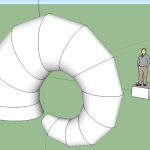
Sketchup for Mac is a great 3d modeling tool used for creating architectural, engineering and landscaping models. The program is easy to learn and use, making 3d visualization of projects easier than ever. We show you how in our SketchUp courses. SketchUp for Mac is essentially the same as SketchUp for Windows. The system requirements are Operating System: Mac OS... Read more...
by Design Workshop Sydney
Apr4
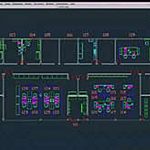
Autocad for Mac has a slightly different compared to the standard Autocad for Windows workspace. We discuss both types of interface in our Autocad 3d courses. The minimum system requirements to run Autocad are an Intel processor with 2-4 Gb RAM. And there’s no virtualization setup required such as VM Fusion or Parallels. Autocad for Mac was introduced in 2011,... Read more...
by Design Workshop Sydney
Apr4
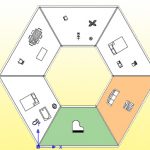
Utilizing the Autocad UCS can be very handy when working on large detailed drawings. We show you how in our Autocad 2d courses. AutoCAD has two coordinate systems: the World Coordinate System (WCS) and the User Coordinate System (UCS). The World Coordinate System is a fixed and absolute system consisting of three axes: x, y, and z. The z-axis, however, ... Read more...

 Graphic Design Courses