by Design Workshop Sydney
Jan24
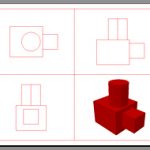
New users to the program often ask what’s the main difference between Autocad 2d and 3d. The Autocad program was first released in 1982 as an MS-DOS application, and over the last 30 years has developed into the large, complex program we have today, becoming the world-leader in CAD (computer aided design) programs. Initially Autocad dealt only with 2d drafting... Read more...

by Design Workshop Sydney
Jan24
Backgrounds in Photoshop come in all shapes and sizes, from a simple faded image to a simple gradient; from blended images to repeat patterns, to special effects like the cinematic bokeh effect. Like most features in Photoshop, once the basic tools and workflow is understood, the rest is up to the imagination of the user (which can be a drawback!).... Read more...
by Design Workshop Sydney
Jan24
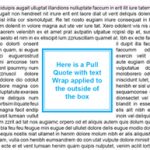
A common question with new Indesign users is how to wrap text around a graphic or similar element, like the Pull Quote in the screenshot for instance. This is a handy feature for brochures, magazine articles and annual reports, the creation of which we look at in great detail in our Indesign courses. Firstly the important thing to remember is... Read more...

by Design Workshop Sydney
Jan24
In the cosmic battle of Illustrator vs Photoshop, who would win? Well, like most superheroes both programs have their strengths, weaknesses and super-powers. And like the worlds of DC and Marvel, both programs are most comfortable within their own environments. Occasionally, however, the two worlds collide. To drop the metaphor, there are two types of graphics programs – the difference... Read more...

by Design Workshop Sydney
Jan17
Animating your models in SketchUp is fun and easy! Fly throughs and walk through animations are a great way to give your client an impression of what it’s like to actually inhabit the space. Animations are outputted as an AVI or Quick Time movie file which can e emailed or uploaded onto your website.Animation is one of the key topics... Read more...
by Design Workshop Sydney
Jan17
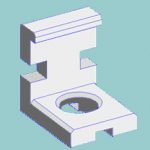
Autocad 3D blocks operate in the same way that blocks are used in 2D drafting – for repeated elements that you don’t want to recreate each time, eg. nuts, bolts, doors, windows, fasteners, components. And you may want to use these elements in later drawings. So to save time, the AutoCAD 3D modeler can create these elements as blocks, and... Read more...

by Design Workshop Sydney
Jan17
2D drawing in Autocad is easy, as long as you follow a few simple guidelines. Firstly create a new drawing by clicking on the Application button on the top left of the workspace, and choose New, then click on a DWT template file. If you don’t yet have your own drawing template, use the acadiso.dwt file – this is the... Read more...

by Design Workshop Sydney
Jan17
A great way to add interest to a website is by adding animated gifs, and they are easy to create in Photoshop. This is one of the many dynamic functions we look at in our Photoshop courses. First create a new file – the dimensions will vary according to the appearance of your web pages – check with your web... Read more...

by Design Workshop Sydney
Jan17
Adding Indesign page numbers to a document, such as a brochure, annual report or a construction tender is very simple. First of all double-click on a thumbnail to go into a master page, for example the default A-Master page. Most likely this will be a double-page spread consisting of a right and left-hand page. Setting up various documents with pagination... Read more...

by Design Workshop Sydney
Jan17
Illustrator brushes are first of all useful if you are just creating some strokes or forms free hand, and accuracy is not an issue. Before you use the Paintbrush tool, first select a brush from the Brushes palette. If you can’t see this, go to Window > Brushes. Then just click and drag to draw the freeform shape. Working with... Read more...

 Graphic Design Courses