
by Design Workshop Sydney
Mar28
Scaling occurs in two contexts in the Autocad 2d workflow, when modifying objects in Model space, and when scaling viewports in Paper space. We look at both functions in our Autocad 2d courses. Scaling objects In the first instance a drawn object may be too large or too small. First select the object then select the Scale tool, or type... Read more...

by Design Workshop Sydney
Mar23
Polylines are useful for drawing 2d schematic illustrations in Autocad. We show you how in our Autocad 2d courses. Polylines are groups of lines and arcs which act as a single object. For example, a box drawn using a Polyline will act as one object instead of four separate lines as opposed to creating a box with the Line tool.... Read more...

by Design Workshop Sydney
Mar9
A solid understanding of the Model and Paper spaces is crucial when creating drawings in Autocad. This is something which we cover in depth in our Autocad 2d courses. Model Space is where most of your drafting work takes place and is accessed via the Model tab; you create all your geometry and models here. The space is three-dimensional and is... Read more...

by Design Workshop Sydney
Feb28
The Autocad 2d workspace provides two parallel working environments indicated by the Model and Layout tabs on your Status bar at the bottom of your screen. These workspaces are fully explored in our Autocad 2d courses. Initially you create your drawing in Model space. The Layout tabs represent your Paper space, ie. how the drawing will look when printed. This... Read more...

by Design Workshop Sydney
Feb25
As with many programs, the user’s speed and efficiency will be greatly enhanced by the use of keyboard shortcuts. This is something we utilize all the time when working in our Autocad 2d classes. And, as with most programs, there are usually three or four ways of performing an operation. Autocad commands can be executed from the drop-down menus –... Read more...
by Design Workshop Sydney
Feb16
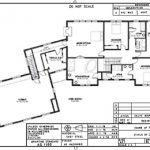
One of the main uses for Autocad 2d is for the drafting of house plans by architects or builders, to be submitted for council approval. This is one of the procedures we look at in our Autocad 2d courses. The first stage would be to set up a new drawing by opening a template (dwt file) in the Autocad 2d... Read more...

by Design Workshop Sydney
Feb7
It’s sometimes helpful when drawing to set up an Autocad 2d grid, for example, if you were drawing support beams evenly spaced on a floor plan. Or, as in the screenshot below, if you were creating a diagram of a circuit board with equally spaced tracks and connectors. As you draw, the cross hairs of your cursor will jump to... Read more...

by Design Workshop Sydney
Jan31
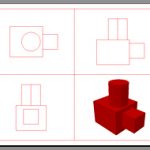
Isometric drawings in Autocad have largely been superseded by the 3d functionality of the program, which has been around for the best part of ten years now. However, it’s still sometimes necessary to draw a simple isometric drawing for a machine part to give a client an idea of how the object looks in three dimensions. Isometric drawings are also... Read more...
by Design Workshop Sydney
Jan24
New users to the program often ask what’s the main difference between Autocad 2d and 3d. The Autocad program was first released in 1982 as an MS-DOS application, and over the last 30 years has developed into the large, complex program we have today, becoming the world-leader in CAD (computer aided design) programs. Initially Autocad dealt only with 2d drafting... Read more...

by Design Workshop Sydney
Jan17
2D drawing in Autocad is easy, as long as you follow a few simple guidelines. Firstly create a new drawing by clicking on the Application button on the top left of the workspace, and choose New, then click on a DWT template file. If you don’t yet have your own drawing template, use the acadiso.dwt file – this is the... Read more...

 Graphic Design Courses