
by Design Workshop Sydney
Jan12
There are many options available for customizing the Autocad 2d interface. We show you how in our Autocad 2d courses. Firstly to open the Options dialog box there are three methods. You can type OP into the Command line at the bottom of the screen and hit Enter. Or, it may be opened via the top left Application button. The... Read more...

by Design Workshop Sydney
Dec26
Setting your units of measurement is one of the first things to do when setting up a new drawing in Autocad. We show you how in our Autocad 2D courses. Before starting drawing in a new document you should always set your units for lines, objects and angles. This may also be set up in your working template so you... Read more...
by Design Workshop Sydney
Dec14
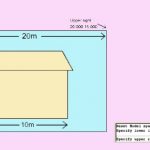
When you start a new drawing it’s a good idea to set up your drawing limits first. This will ensure that you don’t encounter any zooming and panning problems later on down the track. We show you how in our Autocad 2d courses. In the Autocad 2d workspace we do all our drawing in Model Space using life size dimensions,... Read more...

by Design Workshop Sydney
Nov30
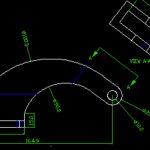
The Trim command is a great feature of Autocad and utilizing it will greatly improve your work speed and efficiency. We show you how in our Autocad 2d courses. For instance, to create the object shown here first use the Rectangle tool (shortcut: REC > Enter) to make a rectangle of a certain width and height. We then add a... Read more...
by Design Workshop Sydney
Nov16
Autocad’s great strengths are in its precision and accuracy, and most drawing commands are performed by entering precise line lengths, etc. But drawing freehand is sometimes utilized when altering or correcting or updating existing drawings. We show you how in our Autocad 2D courses. To practice drawing freehand, first open a new drawing from the Application drop-down menu. It will... Read more...
by Design Workshop Sydney
Nov4
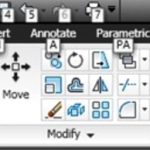
The Autocad interface changed dramatically with the 2009 release in an attempt to make it more familiar to Windows 7 users, in particular the introduction of the Autocad ribbon. We explore all the main features of the interface and functions in our Autocad 2d courses. With the introduction of the ribbon (shown here image right), Autocad’s user interface was improved... Read more...

by Design Workshop Sydney
Oct19
Autocad tools work in a similar fashion to tools in any other program in that they execute a series of functions or commands. We use all of the common tools and essential functions in our Autocad 2d courses. Toolbars are sets of button tools by which we can open, save and print files, or create and modify geometry, layers and... Read more...

by Design Workshop Sydney
Oct5
Your workflow and efficiency will increase tenfold by using keyboard shortcuts when working in Autocad. As well as showing you a range of commonly used tools, we also show you how to use shortcuts in our Autocad 2d courses. There are always two or three methods of performing any task in Autocad, but using keyboard shortcuts is the fastest and... Read more...

by Design Workshop Sydney
Sep20
For over 30 years Autocad has been the industry-leader in drafting software, and is used by a range of industries, from engineering to architecture, town planning to interior design. It’s also used by house builders to draft 2d floor plans and construction elevations for council approval. We show you the whole drafting process in our Autocad 2d courses. The first... Read more...
by Design Workshop Sydney
Sep6
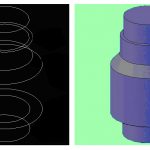
Since its creation in 1982 Autocad has evolved from a simple 2d DOS-based application to a fully versatile 3d modeling program. In this blog post we discuss Autocad 2d vs 3d, and in our Autocad courses we explore both aspects of this world-leader in design software. The main features of Autocad 2d are its ability to draw and modify geometry... Read more...

 Graphic Design Courses