
by Design Workshop Sydney
Aug24
Autocad is the world-leader in drafting software, and for many of the millions of Autocad users the main purpose is to create home plans, for construction as well as council approval. We show you how in our Autocad 2d courses. The first step in the process is to conduct a context study which incorporates the site survey, site visit, aerial... Read more...

by Design Workshop Sydney
Aug10
Since the early 1980s Autocad 2d has defined the use of computers in drafting for architecture, engineering and design. While there are many competitors around today, the program remains the most comprehensive of the current options on the market. In our Autocad 2d courses we explore the essential features of the program. In this courses, we start at an absolute... Read more...

by Design Workshop Sydney
Jul26
Understanding Autocad 2d commands is central to working with the software. There are several methods of issuing commands in Autocad – we explore them all in our Autocad 2d courses. Everything in Autocad is achieved by issuing a command. There are four ways to do this: by using a tool from the toolbar; by choosing from the pull-down menus at... Read more...

by Design Workshop Sydney
Jul11
Viewports are created in Autocad’s Paper Space layouts, and are used to view the various scaled elevations created in Model Space. We show you how to work with viewports in our Autocad 2d courses. Layout tabs represent virtual drawing sheets which preview how the drawing will look when printed. This Layout environment is called Paper Space. The layout represents the... Read more...

by Design Workshop Sydney
Jun27
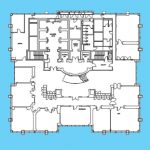
Creating Regions in Autocad’s 2d workspace is a simple process and one of the many features we explore in our Autocad 2d classes. Regions are two-dimensional closed areas which can be combined from several different shapes. They are closed loops created from combinations of standard objects like lines, polylines, circles, arcs and splines. Regions can be used for applying hatching... Read more...
by Design Workshop Sydney
Jun15
The Rotate command is used all the time when working with Autocad 2d drawings. We show you how in our Autocad 2d courses. The easiest method is to simply select the Rotate tool, or type RO > Enter into the Command line. Then select your object > Enter. Next specify the angle of rotation – this is usually counter-clockwise from... Read more...

by Design Workshop Sydney
May30
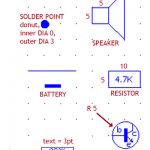
Autocad 2d is used often by architects and builders to create plans for home design, for submission to council. This is one of the key areas we look at in our Autocad 2d courses. The first step is to create a new drawing by opening a dwt template file. Autocad ships with a range of metric and imperial templates, and... Read more...
by Design Workshop Sydney
May17
When creating electrical drawings in Autocad 2d, it’s essential to take advantage of the blocks function. Blocks are used for any repeatable element.You create them once, then use them again & again in future drawings. We show you how in our Autocad 2d courses. A block is a collection of shapes which can incorporate lines, circles, text and hatching which... Read more...

by Design Workshop Sydney
Apr24
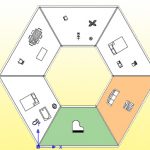
Familiarity with the Autocad 2d workspace is essential when working with the program. We guide you through the various elements of the interface in our Autocad 2d courses. The Autocad workspace changed dramatically with the 2009 release in an attempt to make it more familiar to Windows 7 users, but the functionality is almost identical. There are six main aspects... Read more...
by Design Workshop Sydney
Apr4
Utilizing the Autocad UCS can be very handy when working on large detailed drawings. We show you how in our Autocad 2d courses. AutoCAD has two coordinate systems: the World Coordinate System (WCS) and the User Coordinate System (UCS). The World Coordinate System is a fixed and absolute system consisting of three axes: x, y, and z. The z-axis, however, ... Read more...

 Graphic Design Courses