by Design Workshop Sydney
Aug24
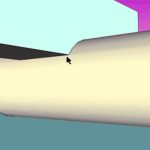
When intersecting faces in SketchUp it’s easy to get a little confused! But with a few handy tips intersecting geometry is easy – we show you how in our SketchUp courses. Initially when intersecting two objects the edges appear to be created but notice that you can’t delete excess geometry. There is no intersecting line there, ie. geometry. One method... Read more...
by Design Workshop Sydney
Aug24
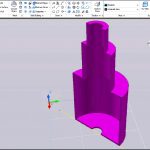
Creating sections in Autocad 3d is a useful feature when working with product design or building mechanical components. We explore this function in our Autocad 3d courses. One method for creating sections is to utilize the Shell and Slice commands. For the valve housing pictured here we would first create a series of cylinders, eg. radius 100mm and height 200mm... Read more...

by Design Workshop Sydney
Aug24
Autocad is the world-leader in drafting software, and for many of the millions of Autocad users the main purpose is to create home plans, for construction as well as council approval. We show you how in our Autocad 2d courses. The first step in the process is to conduct a context study which incorporates the site survey, site visit, aerial... Read more...

by Design Workshop Sydney
Aug17
Digital photographs created in low light or with high ISO settings or a cheap camera will create noise in the image. We can perform a lot of noise reduction in Photoshop. This is one of the many topics we explore in our Adobe Photoshop courses. The Reduce Noise filter was first introduced in Photoshop’s CS2 version, so it’s been around... Read more...

by Design Workshop Sydney
Aug17
Creating QR codes is straightforward and simple in Adobe Indesign. We show you how in our Indesign courses. Advertising billboards, posters and printed ads often display a QR (Quick Response) code which can be scanned with a Smartphone app. This reads and decodes URL information and redirects the consumer’s phone browser to the company website. The QR code generated in... Read more...

by Design Workshop Sydney
Aug17
Ever needed to create rounded corners in Illustrator? We show you how in our Adobe Illustrator courses. There are several methods. One method is to use the Add Anchor Point tool to add a point near a corner on an existing shape, then use the Convert Anchor Point tool to draw out the curvature on that one corner. Another is... Read more...

by Design Workshop Sydney
Aug10
Creating an array of objects is an easy matter in SketchUp. We show you how in our SketchUp courses. First select the item you wish to copy, in this case a component of the BMW Series 7. Then select the Move tool (or hit M on your keyboard) and start moving the item in the required direction. As you do... Read more...
by Design Workshop Sydney
Aug10
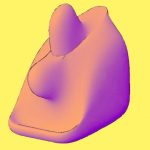
Creating mesh surfaces in Autocad 3d is a simple process often used in product design, for example. We show you how in our Autocad 3d courses. To create a simple Mesh object like the screenshot here first go to the 3d Modeling workspace on the bottom right pop-up menu. Note the Solid, Surface & Mesh tools that appear on the... Read more...

by Design Workshop Sydney
Aug10
Since the early 1980s Autocad 2d has defined the use of computers in drafting for architecture, engineering and design. While there are many competitors around today, the program remains the most comprehensive of the current options on the market. In our Autocad 2d courses we explore the essential features of the program. In this courses, we start at an absolute... Read more...

by Design Workshop Sydney
Aug2
Masks are a versatile tool used in Photoshop to hide parts of layers or for blending layers together seamlessly. We show you how in our Adobe Photoshop courses. In this example we have used a couple of masks – one for making the camera reflection fade off, and one for cropping the image of the girl in the lens. First... Read more...

 Graphic Design Courses