by Design Workshop Sydney
Oct12
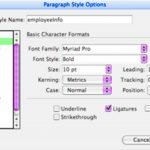
Using Styles in Indesign will rapidly increase your productivity and efficiency. We demonstrate how in our Adobe Indesign courses. There are several types of styles in Indesign: Character, Paragraph, Table and Object styles. The most useful and versatile are Paragraph styles. The easiest way to set up a style is to first create some placeholder text. On a blank page... Read more...

by Design Workshop Sydney
Oct12
Creating maps using Adobe Illustrator is an easy process involving a few simple steps. We show you how in our Illustrator courses. First create a new document, A4 size for example. Then Place your reference image – this could be a map from Google Earth. Tick Template from the File > Place dialog box. This puts the image onto a... Read more...

by Design Workshop Sydney
Oct5
Creating 3d models in SketchUp on your screen is one thing – sending them to a 3d printer and holding your creation in your hands is another! We show you how in our SketchUp courses. Once you’ve created your masterpiece, explode all groups first. Then you need to save the file as an OBJ file – you can only do... Read more...
by Design Workshop Sydney
Oct5
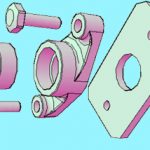
New users often ask what are the system requirements for installing Autocad 2015, especially when it comes to the 3d side of things. And this is something we discuss in our Autocad 3d courses. Most new computers are more than capable of running the program these days, but to be doubly sure here’s a list below of the main points... Read more...

by Design Workshop Sydney
Oct5
Your workflow and efficiency will increase tenfold by using keyboard shortcuts when working in Autocad. As well as showing you a range of commonly used tools, we also show you how to use shortcuts in our Autocad 2d courses. There are always two or three methods of performing any task in Autocad, but using keyboard shortcuts is the fastest and... Read more...
by Design Workshop Sydney
Sep28
Cutting things out in Photoshop is sometimes easy and sometimes difficult, depending mostly on the background colours. The Magic Wand tool is one the easiest tools to use – we show you how in our Adobe Photoshop courses. Making selections is the hardest thing to do in Photoshop, but once made, you can do virtually anything with the image. Among... Read more...
by Design Workshop Sydney
Sep28
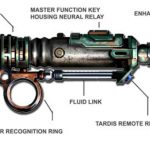
Creating drop shadows in Indesign is a straightforward process and one which, if used in a subtle manner, can add dynamism and interest to a page layout. We explore many such features in our Adobe Indesign courses. In the example of the Sonic Screwdriver shown here, the image is placed into the page via File > Place. Since the original... Read more...
by Design Workshop Sydney
Sep28
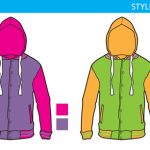
Joining lines in Illustrator is necessary when you want to join two halves of an object into one single shape. We show you how in our Adobe Illustrator courses. The technique would be used to create the garment designs shown here. Firstly a photograph of the garment would be placed, ticking the Template box in order to easily draw around... Read more...

by Design Workshop Sydney
Sep20
SketchUp is a very user-friendly program is work with, but occasionally we do need help. And there are a multitude of resources out there. As well as helping you as much as possible during our SketchUp course, we point you in the right direction for future assistance. Firstly, the SketchUp Knowledge Center. As well as a handy search engine field,... Read more...
by Design Workshop Sydney
Sep20
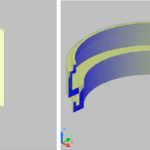
Creating a complex 3d shape using Autocad’s 3d revolve tool is a very easy process and has many useful applications in practical design. We show you how in our Autocad 3d courses. The first step is to create a 2d profile of the face you want to revolve: make sure that Ortho is on (F8). Then select the Polyline tool... Read more...

 Graphic Design Courses