
by Design Workshop Sydney
Jul11
Viewports are created in Autocad’s Paper Space layouts, and are used to view the various scaled elevations created in Model Space. We show you how to work with viewports in our Autocad 2d courses. Layout tabs represent virtual drawing sheets which preview how the drawing will look when printed. This Layout environment is called Paper Space. The layout represents the... Read more...

by Design Workshop Sydney
Jul6
Photoshop montage techniques are used to seamlessly blend images together when creating web banners or posters. We show you how in our Adobe Photoshop courses. First create a new document in Photoshop: File > New > 2480 x 1240 px > 72 ppi, for example. Then open three images as in the screenshot on the right. Go to Window >... Read more...
by Design Workshop Sydney
Jul6
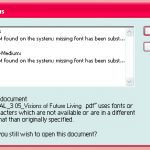
Occasionally an Indesign document may have missing fonts – this is a problem which occurs less and less these days with the introduction of the Adobe Creative Cloud. But it can be easily remedied – we show you how in our Adobe Indesign classes. Sometimes when you first open a document, you’ll get the message: Font Problems – this document... Read more...

by Design Workshop Sydney
Jul6
The Pen tool in Adobe Illustrator is possibly the trickiest tool to get a handle on – initially, that is! But if you follow a few simple guidelines it becomes the easiest and most versatile tool in the toolbox. We show you how in our Illustrator courses. First create a new document and select the Pen tool, or hit P... Read more...

by Design Workshop Sydney
Jun28
SketchUp’s Extension Warehouse is a great resource for all industries. We show you how to use this free facility in our SketchUp courses. Extensions are extra features and functionality that you can easily add to a program like SketchUp. They are often third-party scripts which perform certain functions in an automated fashion. Often, if the plugin is particularly useful and... Read more...
by Design Workshop Sydney
Jun28
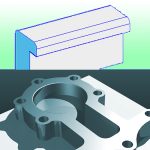
Filleting edges in 3d Autocad will add a sense of realism to your built objects – we show you how in our Autocad 3d courses. Creating a filleted edge is a simple process, similar to filleting a corner in Autocad 2d. First create your objects as in the screenshot right. Then go to the Fillet tool, or hit F on... Read more...

by Design Workshop Sydney
Jun27
Creating Regions in Autocad’s 2d workspace is a simple process and one of the many features we explore in our Autocad 2d classes. Regions are two-dimensional closed areas which can be combined from several different shapes. They are closed loops created from combinations of standard objects like lines, polylines, circles, arcs and splines. Regions can be used for applying hatching... Read more...

by Design Workshop Sydney
Jun21
Adobe Photoshop has over 100 filters in its repertoire, one of which is the Lens Flare. We show you how to use this simple but effective effect in our Photoshop classes. First select an image with a good tonal range. This can be tweaked by adding a Levels or Curves adjustment layer. And depth of colour may be enhanced by... Read more...
by Design Workshop Sydney
Jun20
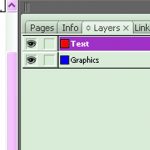
Whilst not as crucial as in Photoshop, layers can help when creating multi-page layouts in Indesign. We show you how in our Adobe Indesign courses. Layers are accessed in the top right-hand panel. By default you have one layer, and this is all you need in a simple document like a flyer or poster. But for something more complex, like... Read more...

by Design Workshop Sydney
Jun20
The gradient mesh tool in Illustrator is used to create organic blends between two or more colours. These can be used for simple backgrounds or to create the illusion of 3-dimensional plasticity in drawn objects. We show you how in our Adobe Illustrator courses. First create a rectangle with the Rectangle tool, and bring the Fill icon forward so that... Read more...

 Graphic Design Courses