
by Design Workshop Sydney
Aug1
There are few topics to consider when sending an Indesign document to print. We explore them all in our Adobe Indesign courses. The first step in the printing process in Indesign is to create a proof on your desktop printer. This is only a first step though – a realistic proof can only be had from your printing supplier. But... Read more...

by Design Workshop Sydney
Aug1
Creating repeat patterns in Adobe Illustrator is an easy process – we show you how in both our general Illustrator and our Illustrator for Fashion courses. Patterns are used for all sorts of things, from textile design to simple background textures for maps and diagrams. Patterns are referred to as prints in the textiles and fashion industries. The method of... Read more...
by Design Workshop Sydney
Jul26
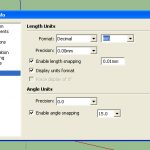
Changing units in SketchUp is a simple matter, but one which can save you hours of frustrating rescaling and double-checking. We show you how in our SketchUp courses. From time to time you’ll find it necessary to change your units of measurement. This will happen if you open a model created by an American user – they will generally have... Read more...
by Design Workshop Sydney
Jul26
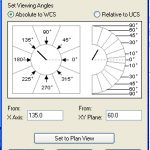
Navigating the 3d workspace in Autocad 3d is essential to working efficiently with the program. There are several methods of navigation – we show you how in our Autocad 3d courses. As well as panning, zooming and orbiting (rotating), we can view our models using orthogonal and isometric preset views. The six Orthogonal (parallel to the UCS) viewpoints are: top,... Read more...

by Design Workshop Sydney
Jul26
Understanding Autocad 2d commands is central to working with the software. There are several methods of issuing commands in Autocad – we explore them all in our Autocad 2d courses. Everything in Autocad is achieved by issuing a command. There are four ways to do this: by using a tool from the toolbar; by choosing from the pull-down menus at... Read more...

by Design Workshop Sydney
Jul20
Making the background of an image transparent, for example in a logo, is an easy matter in Photoshop. We show you how in our Adobe Photoshop courses. For example, the Volkswagon logo. Here we have the logo on a pure black background which will be easy to select. Select the Magic Wand tool and click on black area – all... Read more...

by Design Workshop Sydney
Jul20
Choosing a page size for Indesign documents is generally part of the initial setup procedure, but you can can change the size of all pages or selected pages any time within the design process. We show you how in our Adobe Indesign courses. If you are creating a new document from scratch you first got to File > New >... Read more...

by Design Workshop Sydney
Jul19
Illustrator’s Perspective Grid tool was introduced in version CS5 for perspective drawing or mapping 2d artwork to planes. We show you how to use this versatile tool in our Adobe Illustrator courses. First create a new file in Illustrator: File > New > A4 > Landscape (for example). Then File > Place > and browse to a photograph or a... Read more...

by Design Workshop Sydney
Jul11
Getting started with SketchUp is a matter of getting familiar with the workspace and some simple navigational shortcuts. Then we would look at the basic modeling workflow, adding materials and shadows. And finally outputting still images. We go through all the essential elements of working with the program in our SketchUp courses. Firstly, the interface consists of 4 main elements:... Read more...
by Design Workshop Sydney
Jul11
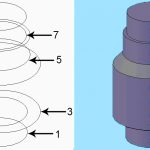
Lofting allows you to create 3d solids based on cross-sections – we show you how in our Autocad 3d courses. The example shown here is of a simple valve housing. The order you select the cross-sections affects how the 3d solid is created. Another good example of the use of lofts would be in boat-building – in fact the term... Read more...

 Graphic Design Courses