
by Design Workshop Sydney
Sep20
For over 30 years Autocad has been the industry-leader in drafting software, and is used by a range of industries, from engineering to architecture, town planning to interior design. It’s also used by house builders to draft 2d floor plans and construction elevations for council approval. We show you the whole drafting process in our Autocad 2d courses. The first... Read more...

by Design Workshop Sydney
Sep15
The History brush in Photoshop is used for fixing blemishes and errors created in the retouching process, but it can also be used to create new effects. We show you how in our Adobe Photoshop courses. Say you’re halfway through editing an image. Now open the History panel: Window > History. This shows you a list of all the steps... Read more...

by Design Workshop Sydney
Sep15
Users new to Indesign can sometimes be confused when resizing images, ending up cropping a photograph instead of scaling it. We show you all the tips and tricks in our Adobe Indesign courses. First, note that when you import (place) an image in Indesign it consists of two elements: the frame and the content within the frame. When you select... Read more...

by Design Workshop Sydney
Sep15
Template layers are used in Illustrator when tracing an image manually. We take you through the whole process in our Adobe Illustrator courses. Template layers are locked, semi-transparent layers used when tracing over a placed image with the Pen or Pencil tools. Create a new document, then go to File > Place > and navigate to where your image is... Read more...
by Design Workshop Sydney
Sep6
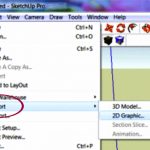
Once you have completed your SketchUp model you can export it in various formats. We explore various methods and show you how in our SketchUp courses. For instance you can export 3d models to other programs in either 2d or 3d formats. For 2d images, JPEG is popular for images uploaded to websites and for sending drafts to clients. Basically... Read more...
by Design Workshop Sydney
Sep6
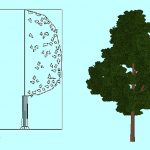
Creating 3d trees in Autocad is simple, and is one of the many topics we cover in our Autocad 3d courses. In this blog post we will show you how. Once built you will have a 3d tree block which can be used again & again in future models. Many users keep libraries of blocks to make the construction process... Read more...
by Design Workshop Sydney
Sep6
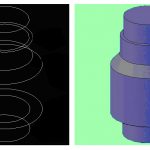
Since its creation in 1982 Autocad has evolved from a simple 2d DOS-based application to a fully versatile 3d modeling program. In this blog post we discuss Autocad 2d vs 3d, and in our Autocad courses we explore both aspects of this world-leader in design software. The main features of Autocad 2d are its ability to draw and modify geometry... Read more...

by Design Workshop Sydney
Sep1
One of the main uses for Adobe Photoshop is in retouching images for commercial printing. We show you some useful and easy techniques in our Photoshop courses. In our example here we do several processes – first adjusting colours and tones, then removing blemishes and adding a necklace and the company logo. Firstly, to adjust all the colours: go to... Read more...

by Design Workshop Sydney
Sep1
Designing flyers in Adobe Indesign usually follows the same workflow each time. We show you how in our Indesign courses. To create the example here, go to: File > New > A5 > Landscape > Bleed 2mm (if printing commercially). To create the Duotone background image, first open an image in Adobe Photoshop. Then go to: Image > Mode >... Read more...

by Design Workshop Sydney
Sep1
Creating interesting text effects in Illustrator is straightforward and fun. We show you how in our Adobe Illustrator courses. To create the top example, firstly type some text > make it 100 pts high > and choose a pale colour. Then go to: Effect > Warp > Arc > and punch in the following values: 10, -30, 0. Alternatively you... Read more...

 Graphic Design Courses