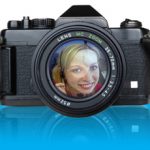
by Design Workshop Sydney
Aug2
Masks are a versatile tool used in Photoshop to hide parts of layers or for blending layers together seamlessly. We show you how in our Adobe Photoshop courses. In this example we have used a couple of masks – one for making the camera reflection fade off, and one for cropping the image of the girl in the lens. First... Read more...

by Design Workshop Sydney
Jul20
Making the background of an image transparent, for example in a logo, is an easy matter in Photoshop. We show you how in our Adobe Photoshop courses. For example, the Volkswagon logo. Here we have the logo on a pure black background which will be easy to select. Select the Magic Wand tool and click on black area – all... Read more...
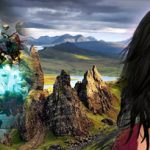
by Design Workshop Sydney
Jul6
Photoshop montage techniques are used to seamlessly blend images together when creating web banners or posters. We show you how in our Adobe Photoshop courses. First create a new document in Photoshop: File > New > 2480 x 1240 px > 72 ppi, for example. Then open three images as in the screenshot on the right. Go to Window >... Read more...
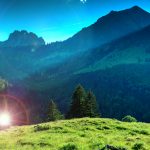
by Design Workshop Sydney
Jun21
Adobe Photoshop has over 100 filters in its repertoire, one of which is the Lens Flare. We show you how to use this simple but effective effect in our Photoshop classes. First select an image with a good tonal range. This can be tweaked by adding a Levels or Curves adjustment layer. And depth of colour may be enhanced by... Read more...

by Design Workshop Sydney
Jun6
The Liquify filter in Adobe Photoshop is a fun and easy dialog box to explore, and can be used for a variety of effects. We dip into it in our Photoshop courses. First of all open an image in Photoshop. We started here with a photograph of a Morris Minor. Then go to the top Filter drop-down menu and choose... Read more...
by Design Workshop Sydney
May24
Creating a Quick Mask in Adobe Photoshop is a versatile method of making selections, and just one of the selection techniques we explore in our Photoshop courses. The images you see on your computer screen or any digital device are composed of pixels, each of which has a number for colour and brightness values. These pixels (or rasters) is how... Read more...
by Design Workshop Sydney
May4
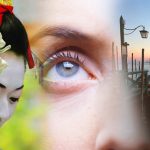
Adding layer masks in Photoshop is a simple yet effective procedure, allowing you to blend several images together seamlessly. We show you how in our Photoshop courses. First create a new document, choosing either for Web or Print. Note the various Preset sizes in each category. The example here is a web banner 720 x 480 pixels, with a resolution... Read more...
by Design Workshop Sydney
Apr18
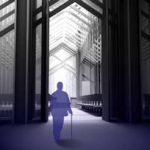
Lighting Effects are a great way to add dynamism to an image in Photoshop. We show you a range of professional secrets in our Photoshop courses. This interior image is a render from a VectorWorks model, but any photograph will do. First we adjust the tonal levels of the image by creating a Levels adjustment layer – this is known... Read more...
by Design Workshop Sydney
Apr8
Working with layers is an essential part of the Photoshop workflow, giving you greater flexibility in how you handle different elements of your composition. We reveal all the industry secrets in our Photoshop courses. In this example, firstly a new document is created with a certain width, height & resolution. Then the image of the future bike is sourced, cut... Read more...
by Design Workshop Sydney
Mar30
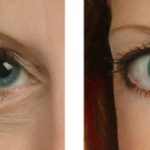
The Healing Brush tool in Adobe Photoshop is one of the main tools used in retouching photographs. We show you how to use this tool to the best of its capacity in our Photoshop courses. First zoom into the area you wish to adjust – this could be a spot, wrinkle, or a scratch on an old photograph. Then select... Read more...

 Graphic Design Courses