
by Design Workshop Sydney
Nov30
The Trim command is a great feature of Autocad and utilizing it will greatly improve your work speed and efficiency. We show you how in our Autocad 2d courses. For instance, to create the object shown here first use the Rectangle tool (shortcut: REC > Enter) to make a rectangle of a certain width and height. We then add a... Read more...

by Design Workshop Sydney
Nov22
Adding images in Photoshop is easy if you follow a few simple guidelines. We explain how in our Adobe Photoshop courses. We usually set up our blank page or banner first. Then open one or two images to bring into the blank page. If you require the image to fill your canvas, go to the top drop-down menus and choose... Read more...

by Design Workshop Sydney
Nov22
After setting up the basic page dimensions and guides, we would start our layout design by placing images and text. Placing images is an easy process, involving only a few steps. We show you how in our Adobe Indesign courses. There are two main methods for importing or placing images. The first is to simply go to File > Place,... Read more...
by Design Workshop Sydney
Nov22
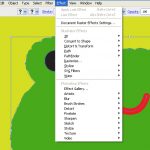
Adding effects to shapes in Illustrator is straight-forward, and easily edited later. We explore all these features in our Adobe Illustrator courses. Firstly, we create some shapes in a new document. The example shown here is our froggie greetings card image. See a previous blog post to find out how we created the basic shapes. We now want to add... Read more...

by Design Workshop Sydney
Nov16
A good introduction to SketchUp is to create a simple model like the one pictured here. We take you through the whole modeling process step by step in our SketchUp courses. Firstly open up SketchUp – you will be asked to choose a template > choose one of the metric templates > OK. Note the human figure that appears with... Read more...
by Design Workshop Sydney
Nov16
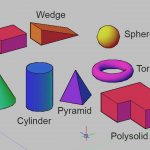
Solid modeling in Autocad’s 3d interface is a simple matter – we show you how in our Autocad 3d courses. 3d solids were given a complete overhaul in Autocad 2007, making it a very flexible method of creating 3d models. We can create either primitive objects like the ones featured here in the screenshot, or create complex solids by adding... Read more...
by Design Workshop Sydney
Nov16
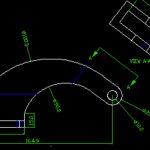
Autocad’s great strengths are in its precision and accuracy, and most drawing commands are performed by entering precise line lengths, etc. But drawing freehand is sometimes utilized when altering or correcting or updating existing drawings. We show you how in our Autocad 2D courses. To practice drawing freehand, first open a new drawing from the Application drop-down menu. It will... Read more...

by Design Workshop Sydney
Nov12
Adding Master Pages in Indesign is one of the features for working efficiently with multi-page documents. We show you how in our Adobe Indesign courses. First create a new document either by going to File > New document, or by going to File > Open > and navigating to a template (indt file). After entering the number and sizes of... Read more...

by Design Workshop Sydney
Nov11
Creating web banners in Photoshop is a simple step-by-step process. We discuss it in full in our Adobe Photoshop courses. The web banner here was created by first choosing a web size from the File > New document dialog box. Choose the Web the drop-down list, and see various common banner sizes in pixels. If you have a different banner... Read more...
by Design Workshop Sydney
Nov11
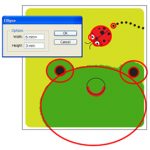
The Ellipse tool in Adobe Illustrator is a very versatile tool, and as can be seen from the screenshot here, can be used to create a variety of shapes. We explore it fully in our Illustrator courses. The Ellipse tool was used to make most of the frog card image here. We’ve highlighted the ellipses in red. First of all,... Read more...

 Graphic Design Courses