
by Design Workshop Sydney
Nov4
There are few keyboard shortcuts in SketchUp which will make your workflow much faster and more efficient. We show you how in our SketchUp courses. Many first-time users like to stick to the tools initially, but you’ll soon find that using the shortcuts is a much better way to go. And there are not dozens to learn – only 6... Read more...
by Design Workshop Sydney
Nov4
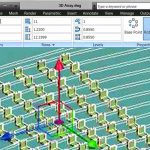
Autocad’s 3d array tool is a quick and easy method of creating multiple versions of an objects set at specified distances apart. AutoDesk has improved how we enter this data in the last couple of releases. We show you how in our Autocad 3d courses. The Array tool in the 3d interface does not have a dialog box like in... Read more...
by Design Workshop Sydney
Nov4
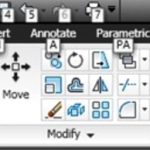
The Autocad interface changed dramatically with the 2009 release in an attempt to make it more familiar to Windows 7 users, in particular the introduction of the Autocad ribbon. We explore all the main features of the interface and functions in our Autocad 2d courses. With the introduction of the ribbon (shown here image right), Autocad’s user interface was improved... Read more...

by Design Workshop Sydney
Oct26
Objects and text created in Photoshop can be enhanced easily by adding drop shadows and similar layer effects. We demonstrate how in our Adobe Photoshop courses. For example the image shown here was created using the Type tool and the Lasso tool. The text is created with the Type tool, then a Warp text option is chosen from the dialog... Read more...

by Design Workshop Sydney
Oct26
Many people use Indesign to create brochures and similar multiple page documents. We let you into some of the industry secrets in our Adobe Indesign courses. Brochures and newsletters are often created using existing templates. We also show you how to create your own templates. First create a new document, specifying number of pages, page size, margins and columns, and... Read more...

by Design Workshop Sydney
Oct26
Adobe Illustrator is a vector-based drawing program and, as such, all artwork is created as mathematically based shapes. There are many tools in the program for creating shapes – we show you a variety of tools & applications in our Illustrator courses. To create the illustration shown here we would first create a new file, for example 100 x 100mm... Read more...

by Design Workshop Sydney
Oct19
There are an array of render engines available which integrate well with SketchUp. We discuss several of these in our SketchUp courses. A good one to start with is Maxwell. First of all Maxwell is free. There is a Pro version ($100 new, $40 upgrade) but try out the free download first. It takes 5 minutes to download, and when... Read more...
by Design Workshop Sydney
Oct19
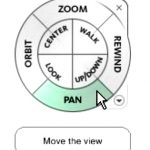
Navigation functions like zoom and pan in the 3d Autocad workspace work in much the same fashion as in the 2d drafting interface, and are essential to a fast and efficient use of the program. We show you how in our Autocad 3d courses. First of all, you have the Pan and Zoom tools on the Status bar at the... Read more...

by Design Workshop Sydney
Oct19
Autocad tools work in a similar fashion to tools in any other program in that they execute a series of functions or commands. We use all of the common tools and essential functions in our Autocad 2d courses. Toolbars are sets of button tools by which we can open, save and print files, or create and modify geometry, layers and... Read more...

by Design Workshop Sydney
Oct12
Using Photoshop to combine elements into a collage is a easy process, involving layers, masks, blending modes and colour adjustments. We show you how in our Photoshop courses. This illustration was put together in about 15 minutes from three downloaded source images: a planet scape, a space suit and a model’s head. First create a new document in Photoshop, for... Read more...

 Graphic Design Courses