
by Design Workshop Sydney
May24
Image Trace in Adobe Illustrator is a quick and easy function to perform when you want to create vector artwork from a bitmap or pixel based image, and can be used to clean up low resolution images or logos. It is one of the many functions we explore in our Illustrator courses. Image Trace was first introduced into Adobe Illustrator... Read more...

by Design Workshop Sydney
May24
Creating a Quick Mask in Adobe Photoshop is a versatile method of making selections, and just one of the selection techniques we explore in our Photoshop courses. The images you see on your computer screen or any digital device are composed of pixels, each of which has a number for colour and brightness values. These pixels (or rasters) is how... Read more...
by Design Workshop Sydney
May18
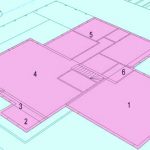
SketchUp is a great program for visualizing building extensions and renovations, and creating house plans. We show you how you can import house plans in our SketchUp courses. With the free version of SketchUp (SketchUp Make), you can simply draw the floorplans from scratch, offsetting walls, cutting out doors and windows, etc. But with the Pro version there are a... Read more...
by Design Workshop Sydney
May18
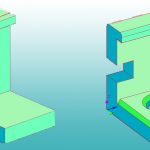
Complex Solids like the one shown here are created by using the Boolean operations of 3d Union, Subtract and Intersect. We show you how in our Autocad 3d courses. Boolean operations were named after the English 19th century mathematician George Boole, creator of the sets and subsets of venn diagrams. The principles of Boolean operations are also used in computer... Read more...
by Design Workshop Sydney
May17
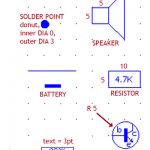
When creating electrical drawings in Autocad 2d, it’s essential to take advantage of the blocks function. Blocks are used for any repeatable element.You create them once, then use them again & again in future drawings. We show you how in our Autocad 2d courses. A block is a collection of shapes which can incorporate lines, circles, text and hatching which... Read more...

by Design Workshop Sydney
May4
Creating headers and footers in Adobe Indesign is a simple process given that Indesign’s specific strength is its tools for creating multi-page documents. This is one of the many features we cover in our Indesign courses. To create a footer or header, first go into the A-Master page, or right-click on A-Master to create a new master page. You can... Read more...

by Design Workshop Sydney
May4
Adding a grid in Adobe Illustrator can assist with creating precise drawings to export to a CAD program, for example in textiles design. We show you how in our specially customized Illustrator for Textiles courses, unique to Design Workshop Sydney. Firstly, create a new document in Illustrator, specifying the width and height of the document. Note the various Preset page... Read more...

by Design Workshop Sydney
May4
Adding layer masks in Photoshop is a simple yet effective procedure, allowing you to blend several images together seamlessly. We show you how in our Photoshop courses. First create a new document, choosing either for Web or Print. Note the various Preset sizes in each category. The example here is a web banner 720 x 480 pixels, with a resolution... Read more...

by Design Workshop Sydney
Apr24
Creating and implementing dynamic components in SketchUp is straight-forward process, which we cover in our SketchUp courses. A standard component is a bit like a block in Autocad and is a great time-saving feature of the program. You can create a component from any geometry created in SketchUp, and it’s used for any repeatable items like doors, windows, machine parts,... Read more...
by Design Workshop Sydney
Apr24
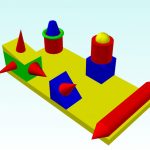
When creating complex objects in Autocad 3d it’s useful to implement the UCS, or User Coordinate System. We explore this handy feature in our Autocad 3d courses. For instance, create the collection of objects above using the basic shapes tools. Note that the base box has a depth of -10. This can be useful when building the objects on top;... Read more...

 Graphic Design Courses